B-Time (Bubble Time)
Timer Tab
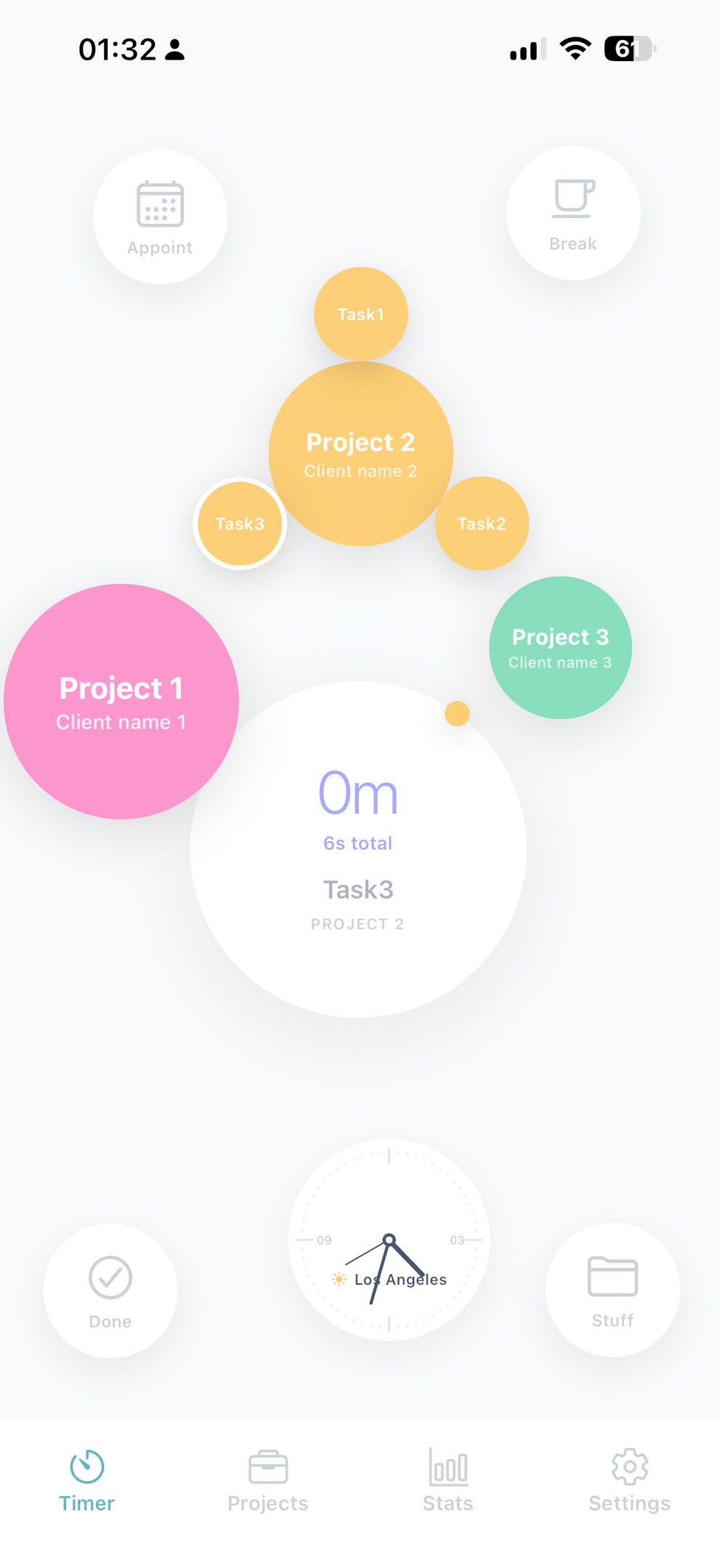
On the Timer tab, your entire workload is visualized through intuitive, color-coded "bubbles" representing your active projects. These bubbles vary in size and use the specific colors you have chosen to help you distinguish between tasks at a glance.The interface is designed for effortless transitions:One-Tap Tracking: Simply tap a project bubble to start the timer; to switch tasks, tap a different bubble and the timer will instantly shift to that project.Break Management: Use the Break button (coffee cup icon) to pause your session and step away.Ad-Hoc Work: The Stuff button (folder icon) allows you to quickly track miscellaneous tasks that don't fall under a specific project.Appointments: The Appoint button helps you manage meetings or reminders and facilitates adding that time directly into your project logs.Daily Completion: When you finish your workday, pressing Done ends your tracking and generates a daily report, which can be sent out for review or invoicing.
B-Time (Bubble Time)
Projects Tab
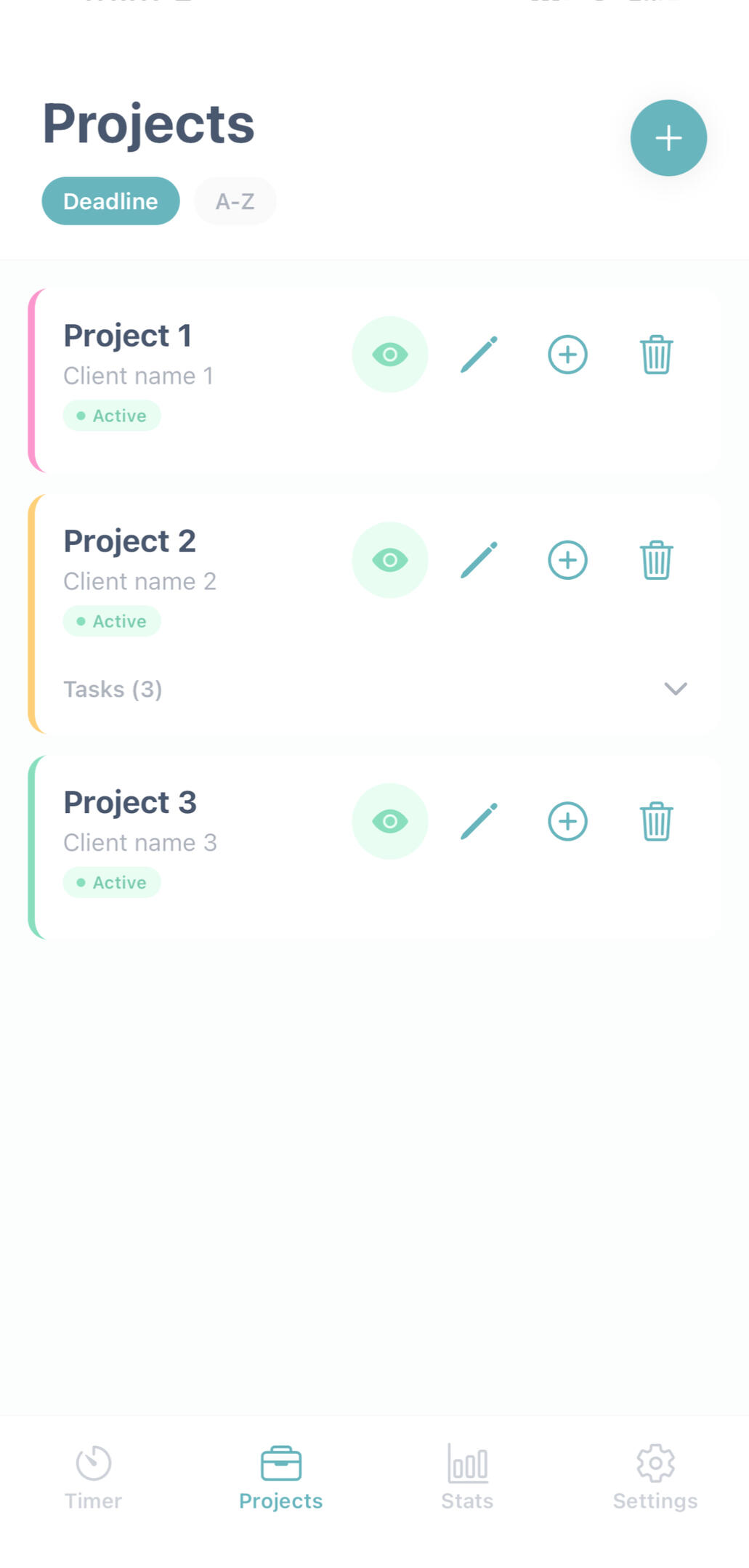
Projects Tab: Take full control of your workflow by creating, editing, or deleting projects. You can add specific tasks, set deadlines, and establish time limits with visual warnings to ensure you stay on schedule.
B-Time (Bubble Time)
Stats Tab
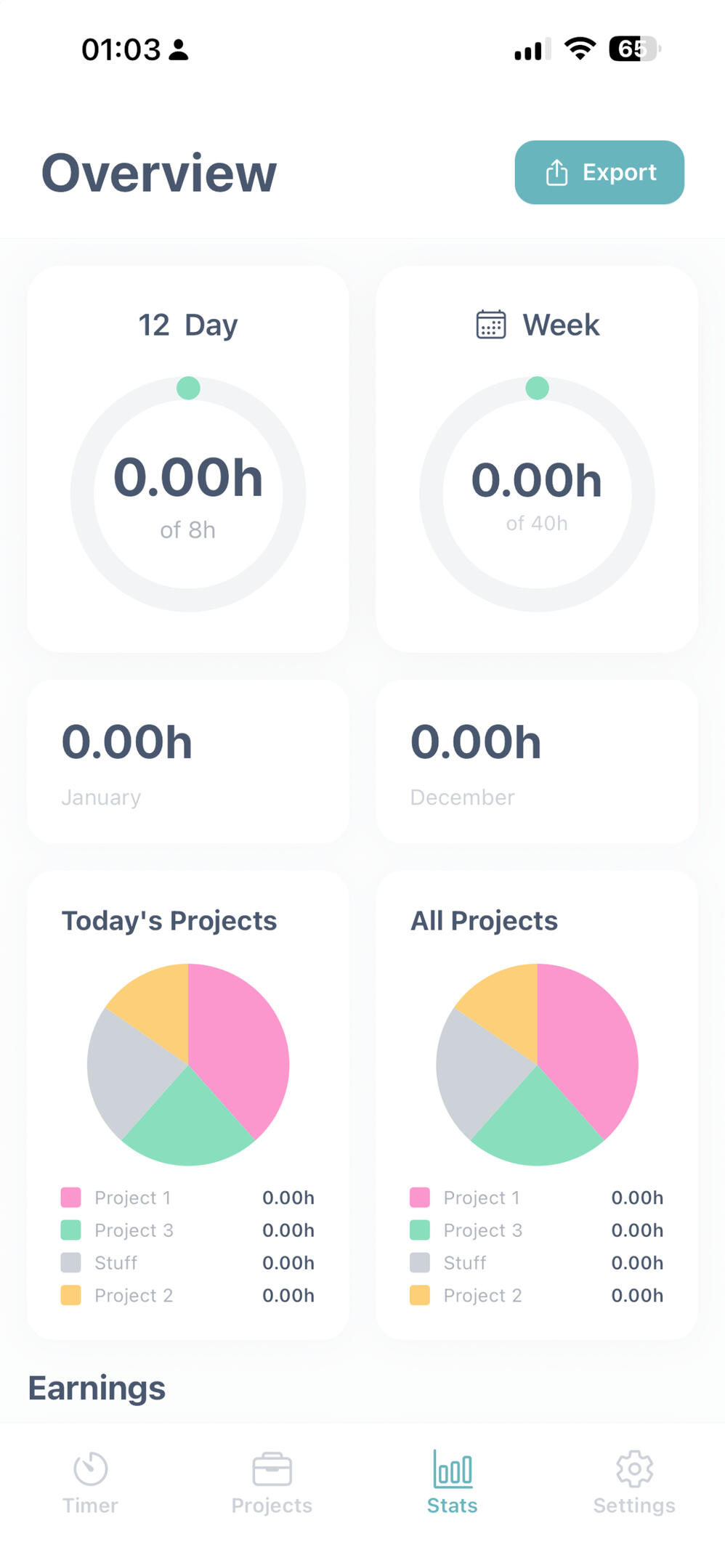
Stats Tab: Dive into your productivity with detailed time analytics across day, week, and month views. This tab also handles the business side of your work, featuring income tracking, VAT calculations, and report generation with invoicing options for easy sharing.
B-Time (Bubble Time)
Settings Tab
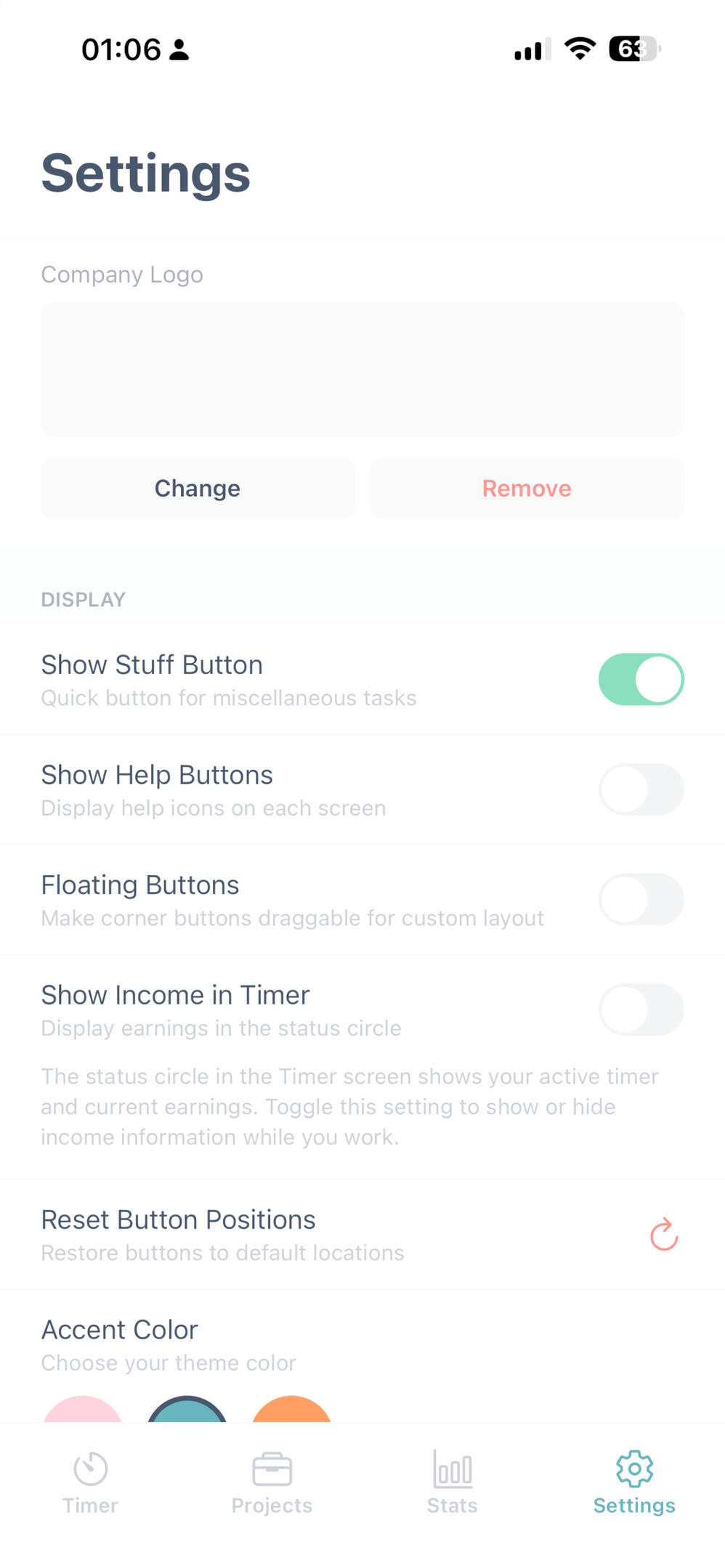
Settings Tab: Make the app your own by customizing your profile, accent colors, and display preferences. You can also configure world timezones, integrate your calendar, and set up billing rates to automate your professional workflow
B-Time (Bubble Time)
Suport
Hi, at B-Time we always listen to feedback and are constantly looking to improve. If you have anything on your mind, please don’t hesitate to reach out.
Privacy Policy for B-Time (BubbleTime)
Last Updated: January 12, 20261. Our Commitment to Privacy At BubbleTime, we believe your data belongs to you. The app is designed to be a private, focused space for your work.2. No Personal Data Collection We do not collect, store, or transmit any of your personal information.No Account Required: You are asked for your name during onboarding only to personalize your local greetings; this name is stored only on your device.Local Tracking: All project names, task descriptions, and time logs are stored locally on your device.No Server Storage: We do not have access to your data, and we do not sell or share any information with third parties.3. Data Security Since your data never leaves your device, it is protected by your device's own security (such as FaceID, TouchID, or your passcode).4. Changes to This Policy If we ever decide to add features that require data syncing, we will update this policy and ask for your explicit consent first.5. Contact If you have questions, please reach out at [email protected]